What Is Web Design? Process, Cost & Trends — The Complete 2026 Guide
Quick Answer
Web design is the discipline that combines visual design (UI), user experience (UX), and frontend technology to shape how a website looks, feels, and functions. Great web design isn't just about aesthetics — it's about building something that loads fast, works intuitively, and ranks well on search engines.
What Web Design Actually Is (and Isn't)
“I need a website.” That’s probably the single most common opening line every design agency hears.
But follow up with “What kind of website?” and most people go quiet. Do you need a pretty digital storefront? A lead-generation machine? Or is it more of a “well, everyone else has one” kind of situation?
That’s exactly why — before we talk money, tools, or trends — it helps to pin down what web design actually involves.
Web design is not just “making things look nice.” It’s a discipline that has to juggle three things at once:
- How it looks — Visual design (UI). Colors, typography, layout, imagery — the stuff you notice the moment a page loads.
- How it feels to use — User experience (UX). Can someone find the contact form in three seconds? Or do they want to throw their phone across the room?
- How well it runs — Technical development. Does it load in under two seconds on a phone? Can Google actually crawl your content?
Web design vs. web development — what’s the difference?
People use these terms interchangeably all the time, but the focus is different:
- Web design leans toward strategy and presentation — deciding what a site looks like, how users interact with it, and what path they follow to reach a goal.
- Web development leans toward technical implementation — turning design files into real, functioning web pages with HTML, CSS, and JavaScript, plus handling backend logic and databases.
In practice, these two worlds overlap constantly. Smaller agencies often have one person wearing both hats, while larger firms split the work between dedicated designers and frontend engineers. Either way, the key is that design and development need to communicate well. The most stunning mockup in the world is worthless if nobody can actually build it.
Why Web Design Is Worth the Investment
“Is it really worth spending this much on a website?”
That depends entirely on how you think about your site. If it’s just a digital business card you’ll never update, then no, you probably don’t need to invest heavily. But if you expect your website to generate leads, build credibility, or directly drive revenue, then web design stops being an expense and starts being a business investment.
First impressions are more brutal than you think
There’s a widely cited stat in the industry — and it’s backed by actual research: visitors form a first impression of your website in roughly 50 milliseconds. That’s 0.05 seconds. And 94% of people say that impression is driven primarily by design quality.
In plain language: your website gets graded before anyone reads a single word on it.
Think about your own behavior for a second. You search something on Google, click a result, and the site looks cluttered with tiny text and clashing colors. How long do you stay? Most people hit the back button before the page even finishes loading, then try the next result. Your potential customers do the same thing.
Design quality directly impacts business outcomes
According to data published by Hostinger, VWO, and Forrester Research in recent years:
- 75% of visitors judge a company’s credibility based on its website design
- Companies that invest in UX see conversion rate improvements of 200% to 400%
- Design-led companies grow revenue 32% faster than their peers
- On the flip side, 38% of visitors will leave immediately if the design or content feels off
Loading speed: the invisible revenue killer
Here’s a problem that comes up constantly: a business insists on having massive hero images on the homepage — each one 3-5MB. The result? The site takes forever to load on mobile.
The numbers don’t lie:
- If loading takes more than 2 seconds, 60% of mobile users leave
- Every additional 1-second delay drops conversions by 7%
A lot of websites don’t lack customers because they look bad. They lack customers because people leave before the page even finishes rendering. That’s why speed isn’t a technical afterthought — it’s a core part of design.
The Five Core Pillars of Web Design
So what does a complete web design project actually involve? Break it apart and you’ll find five distinct areas working in tandem.
1. UI Design: Everything You See
UI (User Interface) design is the “surface” of a website — everything your eyes take in the moment a page loads.
Sounds like it’s just about making things pretty, right? But UI design goes much deeper than aesthetics. A competent UI designer choosing a color isn’t thinking “which one looks nice” — they’re thinking “will this have enough contrast on a phone screen?” and “will users actually notice this button?”
One of the most common UI problems on business websites: cramming everything onto the homepage. Every department’s information feels important, so the homepage turns into a department store directory. Visitors see a wall of content and remember nothing.
The industry standard tool for UI design right now is Figma — the free tier covers most projects. If you want to learn more, check out our complete Figma guide.
2. UX Design: Everything You Feel
UX (User Experience) design is about the “feeling” of using a website — can people find what they need? Are buttons easy to tap? How many steps does it take to accomplish their goal?
UI is the “face.” UX is the “backbone.” An ugly face means no one walks in. A bad backbone means they walk right back out.Here’s a common example: plenty of restaurant websites still serve their menu as a PDF download. On a phone, you download the file, open it in a separate app, then pinch-zoom to read tiny text — that’s a UX disaster. Displaying the menu directly on the webpage with images and clear text is ten times better.
Good UX doesn’t always require fancy features. Sometimes just “saving the user one extra click” is enough to beat most of your competitors.
3. Frontend Development: Turning Design Into Reality
Frontend is the process of using HTML, CSS, and JavaScript to turn a designer’s mockups into real, functioning web pages.
The quality gap here is enormous. Give two developers the same design file: an experienced frontend engineer might produce a site that weighs 500KB and loads in under a second. Someone less experienced might build the same thing at 5MB, crawling on mobile like a slideshow.
Visitors might not notice the difference, but Google will — because Core Web Vitals directly affect search rankings. For more on this, see our Core Web Vitals guide.
4. Backend Development: The Engine Under the Hood
The backend handles servers, databases, and content management systems (CMS) — all the behind-the-scenes work.
If your website needs user accounts, product listings, form submissions, or automated email notifications, that’s all backend territory.
WordPress is the world’s most popular CMS, powering over 40% of all websites. Its plugin ecosystem is massive — you can find extensions for SEO, e-commerce, and just about anything else. But flexibility cuts both ways. Load up too many plugins and your site slows to a crawl. Skip updates for a few months and you’re a sitting duck for hackers. Those ongoing maintenance costs rarely get mentioned in the initial quote.
5. Content Strategy: The Most Overlooked Piece
Here’s the industry’s open secret: most websites underperform not because of bad design, but because of bad content.
The agency builds a gorgeous framework, delivers polished layouts — and then the client fills it with copy-pasted text from their old site and photos shot on a phone in a poorly lit office. No amount of design polish can save that.
A solid content strategy includes:
- Professional copy written for your target audience (not “Welcome to our company website” filler)
- High-quality images and video assets
- Keyword planning aligned with your SEO goals
- A realistic plan for ongoing content updates
If you need high-quality images without the licensing headaches, our CC0 free stock photo roundup is a good starting point.
The Actual Process: From Concept to Launch
Whether you hire an agency, work with a freelancer, or go the DIY route, building a website from scratch follows roughly the same stages.
What follows is the full process. If you’re using Wix or a WordPress template, some steps get simplified or skipped entirely.
Step 1: Figure Out Why You Need This Website
This sounds obvious. It’s also the step most people skip.
Here’s what usually happens: someone in leadership says “we need a website,” and the team immediately starts collecting quotes. Ask what the site should accomplish? No clear answer. Ask who the target audience is? “Everyone.” Ask for reference sites they like? A random handful gets forwarded with no context.
Spending an extra week clarifying requirements at this stage saves you a month of revisions later.Specifically, you need to nail down:
- The website’s primary goal (brand awareness? lead generation? online sales?)
- Who your target audience is (age group, browsing habits, mobile vs. desktop?)
- Must-have features (contact forms, portfolio, e-commerce, multilingual support?)
- Budget range and desired launch date
Step 2: Information Architecture
This is where you decide what pages your site will have and how they connect to each other.
The deliverable here is a sitemap — typically a tree diagram. A standard small-to-midsize business site looks something like:
- Home
- About (company story, team)
- Services (individual service pages)
- Portfolio / Case Studies
- Blog / News
- Contact
It looks simple, but don’t underestimate it. How pages are categorized, how many levels deep the navigation goes, and what path visitors most commonly take — all of this shapes the design direction and SEO structure downstream.
Step 3: Wireframes
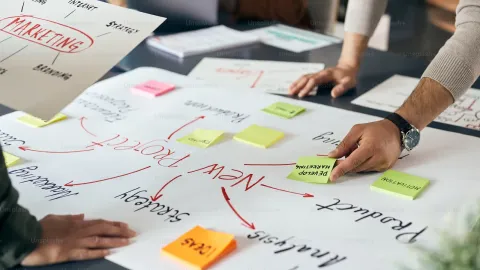
Gray boxes and lines on a screen. No colors, no fancy typography, no images — just content blocks showing what goes where on each page.
The point of keeping it intentionally plain is to force everyone to focus on “what information belongs in what position.” A lot of clients jump ahead at this stage: “Can we change the color?” “Can the logo be bigger?” Hold that thought — that’s the next step.
Wireframes can be built in Figma, sketched on paper, or drawn on a whiteboard. The goal is to align on content hierarchy, not to produce something pretty.
Step 4: Visual Design
Once wireframes are approved, the designer layers in color, typography, imagery, and motion to produce high-fidelity mockups that closely resemble the finished product.
Common practice is to design the homepage plus one interior page first, let the client confirm the overall direction, then extend the design to remaining pages.
This is the cheapest stage to make changes. Adjusting a color in a mockup takes ten minutes. Making the same change after the frontend has been coded could take half a day. So speak up now — get all your feedback on the table while it’s still a design file.
Step 5: Frontend Development
Once the design is approved, frontend engineers translate those mockups into actual web pages.
Industry folks sometimes call this “slicing” — cutting a design file apart and reassembling it as HTML, CSS, and JavaScript. The critical priorities at this stage:
- Responsive design (RWD): making sure the site works on phones, tablets, and desktops
- Loading speed: compressing images, minifying code, optimizing resource loading order
- Cross-browser compatibility: testing on Chrome, Safari, Firefox, and Edge at minimum
Step 6: Backend Integration
If the site needs a content management system — so non-technical team members can update blog posts, add products, or manage contact submissions — this is where the frontend gets wired up to the CMS.
Which CMS or backend architecture you choose will directly affect your maintenance experience for years to come. This decision deserves careful evaluation, not a quick glance at a comparison table.
Step 7: Testing
The most tedious step. Also the most important. Here’s the checklist:
- Every link actually works (broken links hurt SEO)
- Every form submits correctly (including confirmation emails)
- Text is legible and buttons are tappable on mobile
- Tested on Chrome, Safari, and at least one mobile browser
- Run Google PageSpeed Insights for a performance baseline
- Meta titles, descriptions, and OG images are all configured
A lot of projects rush to launch and treat testing as a formality. Then the site goes live and the mobile contact form doesn’t work. These kinds of embarrassing bugs happen more often than you’d think.
Step 8: Launch — and Then What?
Launching a website is not the finish line. It’s the starting line.After launch, you need to:
- Submit your sitemap to Google Search Console so Google knows your site exists
- Install Google Analytics to track visitor behavior
- Publish content regularly (Google favors sites that stay active)
- Monitor performance and security
- Adjust based on real data — if 80% of traffic comes from mobile, the mobile experience deserves top priority
How Much Does a Website Cost?
Pricing is the question everyone wants answered first. So here’s the honest truth: there’s no single answer, because “a website” can mean wildly different things.
It’s like asking “how much does a car cost?” A used commuter car is $5,000. A luxury sedan is $60,000. A supercar is $300,000. They’re all “cars,” but they’re completely different products.
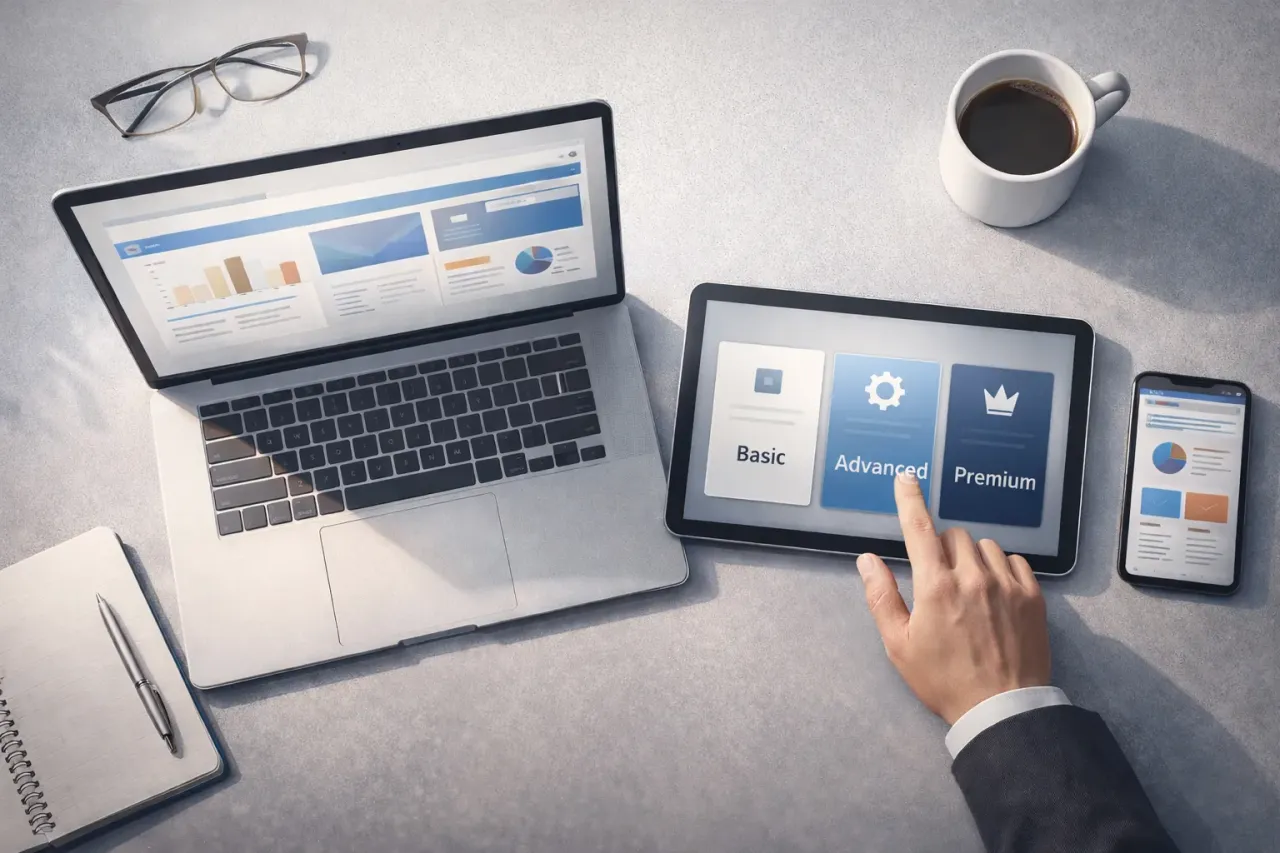
Here are the three main approaches and realistic 2026 price ranges:
Option 1: DIY Website Builders (Wix, Squarespace)
Cost: $300 – $1,500 per year (platform subscription)
You drag, drop, and type your way to a website. No coding required. Pick a template, swap in your images and text, and you can be live in a few days.
The reality: Many people see this as the cheapest route, and in the short term, it is. But watch out for a few traps. Wix generates pages with JavaScript, which can make search engine indexing less reliable (they’ve improved, but it’s still not on par with static HTML). And your website is rented, not owned — if Wix raises prices or shuts down a feature, your site goes with it.
Best for: Personal brands in early stages, student portfolios, businesses still validating their model and unsure about long-term commitment.
Option 2: WordPress / Template-Based
Cost: $2,000 – $8,000 (design and setup) + $500 – $1,500/year (hosting, domain, maintenance)
This is the most common choice for small and midsize businesses worldwide. WordPress powers over 40% of all websites, and its plugin ecosystem covers everything from SEO to full e-commerce.
The reality: WordPress’s flexibility is both its greatest strength and its biggest liability. Stack on a dozen plugins and your site might slow to a crawl. Skip updates for a few months and you’re inviting security breaches — and that happens far more often than people realize.
Another common problem: the agency builds the site, hands it over, and disappears. The content management interface is clunky, and updating a single paragraph requires a support ticket. If you’re going the WordPress route, ask upfront about ongoing maintenance pricing and how user-friendly the admin panel actually is.
Best for: Businesses that update content regularly, blog-heavy sites, teams with limited budgets who still want some control.
Option 3: Custom Development
Cost: $8,000 – $100,000+ (depends on complexity)
Built from scratch to your exact specifications. No template constraints, no plugin dependencies. You need a feature? It gets built.
The reality: Yes, the upfront cost is higher. But the long-term math often tells a different story. Custom sites have no monthly platform fees, no plugin bloat, and the performance and SEO architecture can be optimized from the ground up. Some analyses suggest that custom-built websites start costing less in total than platform-based solutions around the 2.5-year mark.
Custom development quotes vary dramatically — you’ll find studios quoting $8,000 and agencies quoting $80,000 for seemingly similar projects. The difference usually comes down to design refinement, feature complexity, and whether SEO architecture planning and ongoing support are included.
Best for: Brand-conscious businesses, sites with unique functionality requirements, anyone planning to operate the site for three or more years with SEO as a core strategy.
A simple way to decide
If you’re stuck, ask yourself one question: how long do you plan to use this website?
Less than two years (event site, short-term project) — a DIY builder is fine. Save the money. Two years or more with steady operations — seriously evaluate WordPress or custom. It’s a core revenue channel for the business — custom development is the safest bet.
For a deeper dive into pricing and what each budget level actually gets you, see our 2026 web design pricing guide. And for a head-to-head comparison of both approaches, check out template vs. custom websites.
2026 Design Trends That Actually Matter
Every year, someone publishes a “web design trends” list full of things that sound cool but don’t really apply to most business websites. Let’s skip the hype and focus on what’s genuinely relevant in 2026.
AI tools have fully infiltrated the design workflow
This isn’t a prediction — it’s already happened. According to recent surveys, 93% of designers now use AI tools in their daily work.
But that doesn’t mean AI replaces designers. What AI handles well right now is accelerating repetitive tasks: batch-resizing images, generating initial color palettes, scaffolding basic code structures. The real design decisions — what information deserves the most prominent placement, how users will navigate, how to express brand personality — still require experienced human judgment.
For business owners, the practical impact is this: design agencies are getting more efficient, and some parts of the process may move faster. But prices won’t drop dramatically — the time saved typically gets reinvested into more polished refinements and thorough testing.
Micro-interactions: small details, big impact
A button that subtly changes color when you hover over it. A success animation when a form submission goes through. Content that fades in smoothly as you scroll down the page.
These are called micro-interactions, and in 2026, they’ve shifted from “nice to have” to “expected.” Nobody’s saying you need to turn your site into a theme park ride. It’s about those small touches that make a website feel alive and responsive rather than flat and static.
If your current site has zero motion or animation, it’ll feel noticeably dated compared to competitors. For a starting point, take a look at our CSS animation basics and button animation guide.
Mobile experience is not optional — it’s the default
Google fully implemented Mobile First Indexing in 2023 — meaning search rankings are now determined by your mobile site, not your desktop version. You could have the most beautiful desktop design in the world, but if the mobile experience is poor, your rankings will suffer.
Mobile browsing accounts for well over 60% of global web traffic. If your site has tiny text, cramped buttons, or requires horizontal scrolling on a phone, you’re effectively turning away most of your potential visitors before they’ve read a thing.
For more on building sites that work everywhere, see What is RWD — responsive web design.
Accessibility is no longer just a “nice to have”
In the US, ADA-related web accessibility lawsuits hit record numbers in recent years. The EU’s European Accessibility Act (EAA) is expanding requirements across member states. Even if your jurisdiction hasn’t caught up yet, the trend is unmistakable.
And beyond compliance, accessibility practices are good for SEO. Many accessibility fundamentals — alt text for images, semantic HTML structure, keyboard navigability — happen to be exactly the same things search engines reward.
For a broader look at where design is heading, see our web design trends analysis.
7 Common Myths Debunked
After years of building websites and talking to clients, certain misconceptions come up in almost every initial meeting. Let’s work through them one by one.
Myth 1: “A pretty website is a good website”
This is the classic. During design reviews, everyone focuses on whether the visuals look impressive. Rarely does anyone ask “can users actually accomplish their goals?”
There’s an old industry saying: a beautiful website makes people want to take screenshots. A usable website makes people want to open their wallets.
Some award-winning sites have terrible conversion rates because the designer prioritized visual spectacle over function, burying the CTA (Call to Action) button somewhere no one can find it. The ultimate purpose of design is to achieve business goals, not to win design awards.
Myth 2: “Cheaper is always better — it’s all just websites”
A $3,000 website and a $30,000 website might look surprisingly similar in a screenshot. The difference lives in the things you can’t see: code quality, loading speed, SEO architecture, security, and the ability to scale later.
Think of it this way: a $15 plain white t-shirt and a $150 one look identical in a photo. But wear them for a month, wash them a few times, and you’ll feel exactly where the money went.
The most common outcome with rock-bottom pricing: a year or two later the site can’t do what you need, it’s slow, SEO is going nowhere — so you scrap it and start over. That’s paying twice.
Myth 3: “We’ll handle SEO after the website is finished”
This might be the most expensive myth on the list.
SEO isn’t a coat of paint you apply after the fact. Your URL structure, heading hierarchy (H1/H2/H3), page load speed, structured data markup, mobile responsiveness — all of these need to be planned during the design and development phase.
Discovering after launch that “the URL format needs to change” or “we’re missing structured data” means the cost and effort to fix it will be several times higher than doing it right from the start.
For a detailed look at building SEO into the design process, see SEO and web design essentials.
Myth 4: “Build it and they will come”
They won’t.
Unless you’re already a household name (think Apple, Nike, Coca-Cola), a freshly launched website is like a new restaurant on a back street — beautiful interior, no foot traffic. Nobody knows you’re there.
After launch, you still need:
- Ongoing SEO work (publishing content, earning backlinks)
- Social media driving traffic to the site
- Possibly paid advertising campaigns
- Regular content updates to signal to Google that the site is active
Myth 5: “Responsive design is a bonus feature”
In 2026, responsive design is not a bonus. It’s the absolute baseline.
Some agencies still list “includes responsive design” as a premium add-on in their quotes. But building a non-responsive website today is like selling a car without seatbelts — it’s not an upgrade, it’s a fundamental requirement.
Myth 6: “I’m paying for it, so it’s entirely the agency’s job”
In reality, project quality is directly proportional to client involvement.
No agency, however talented, can conjure your brand story, your customer testimonials, or your professional photography out of thin air. What clients need to contribute: company description copy, product images, brand identity assets, competitor references, and clear, specific feedback.
Experienced agencies will give you a “materials checklist” before the project kicks off. If your agency doesn’t ask for any input from you, that’s actually a red flag.
For help getting your materials organized, see our website design preparation guide.
Myth 7: “Once it’s built, I’m done”
A website isn’t a building you can construct and ignore for a decade. It’s more like a garden — stop watering it and it slowly dies.
Ongoing maintenance includes:
- Regular content updates (at minimum, something new each month)
- CMS and plugin updates (critical for security)
- Adjustments based on Google Analytics data
- An annual review to make sure the design still feels current
Too many company websites still have a “Happy New Year 2022” banner on the homepage. That’s worse than having no website at all — it tells visitors the business might not even be operating anymore.
How to Choose the Right Approach
After all of that, let’s get practical. If you’re currently weighing your options, these criteria will help you narrow things down quickly.
By budget
- Under $1,000: DIY platforms (Wix, Squarespace) — do it yourself
- $2,000 – $8,000: WordPress template or semi-custom
- $8,000 – $25,000: Custom development (small to medium sites)
- $25,000+: Custom development (complex functionality, e-commerce platforms)
By timeline
Need it live in two weeks? DIY builder or a simple template. Can you wait one to two months? Semi-custom or WordPress with a professional setup. Three months or more? Custom development, with the quality to match.
By long-term plans
If the website is purely a “check the box” thing that you won’t actively maintain, don’t overspend. If the site is a serious business channel you plan to run for three or more years, investing more upfront in the right solution will save money over time.
By SEO needs
If you want the website to rank on Google and generate organic traffic, technical architecture matters a lot. DIY platforms have inherent SEO limitations. WordPress can get there but requires ongoing optimization effort. Custom development lets you build a perfect SEO foundation from day one.
New to all of this? Our beginner’s guide to web design is a good starting point. Already decided to move forward but unsure what to prepare? The website design preparation guide will walk you through it.
Conclusion: Design Is a Means, Not an End
This has been a long read, so let’s end with the one thing that matters most:
Web design is not the goal — it’s the vehicle. It exists to solve problems: helping customers find you, trust you, and decide to work with you.
Regardless of how AI evolves, how sophisticated 3D effects become, or which design trends cycle in and out of fashion, an effective website always comes back to the basics:
- Can a visitor understand what you do within a few seconds?
- Is the information they need easy to find?
- Does the mobile experience make them want to stay or leave?
- Can Google find and rank your content?
Get those four things right and you’re already ahead of most websites out there. Seriously.
Tools and technologies will keep changing. But thinking from the user’s perspective never goes out of style.Further Reading
For deeper dives into specific topics, these articles may help:
- 2026 Web Design Pricing Guide: How to Evaluate Quotations
- SEO and Web Design Essentials for the AI Era
- Web Design Trends: 10 Must-Know Design Movements
- How to Learn Web Design: Complete Beginner’s Guide
- What Is RWD — Responsive Web Design?
- Complete Business Website Guide
- Template vs. Custom Websites Compared
- Figma Complete Guide for 2025
- Core Web Vitals: Understanding Performance Metrics
- CSS Animation Basics
- CC0 Free Stock Photos for Commercial Use